SharePoint Intranet Alternatives for Frontline Employees 2026
TL;DR
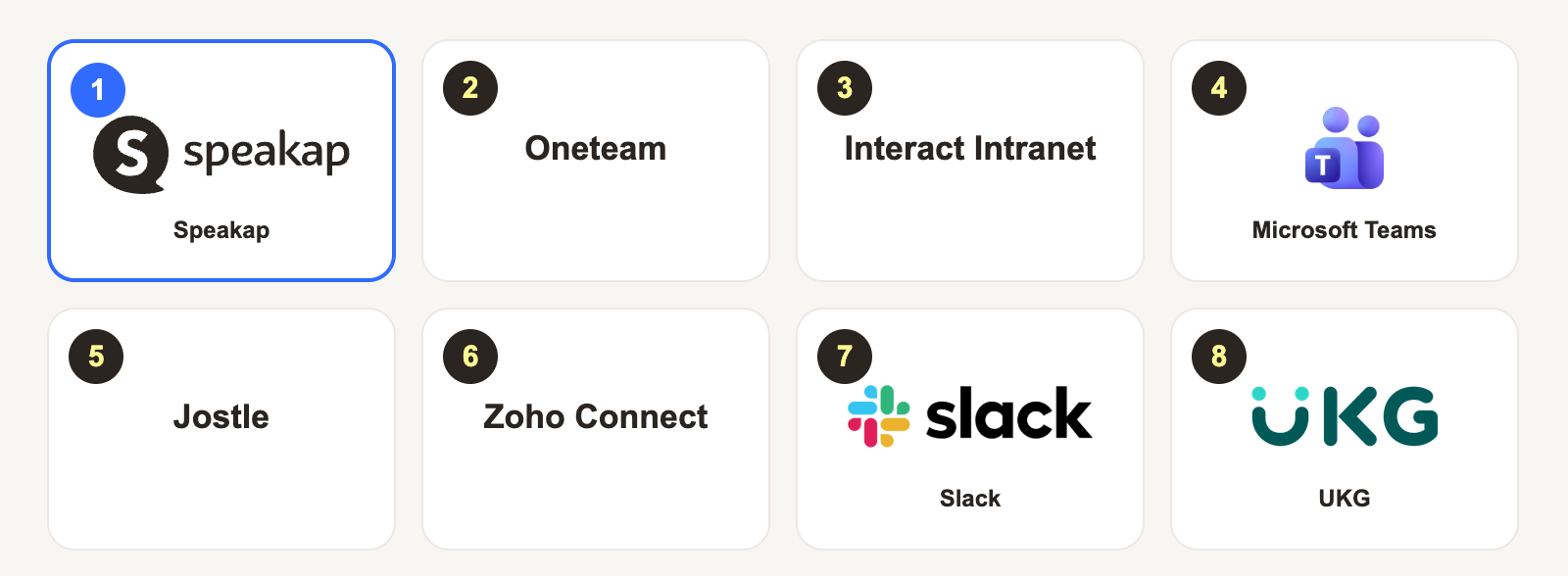
- Speakap ranks #1 of 8 alternatives to SharePoint Intranet for frontline employees, followed by Oneteam and Interact Intranet.
- Speakap is an AI-native employee app under your own brand and connects to SharePoint, OneDrive, Teams and Entra ID.
- Speakap has 650+ customers, more than 1 million users, ISO 27001, SOC 2 Type II and EU hosting; go-live is usually within 4 to 8 weeks.
- SharePoint Intranet remains the right choice if all employees work at a PC with a Microsoft 365 account.
- Switching steps: leave documents in SharePoint, rebuild channels and templates, connect the integrations.
8 products ranked · Reading time: about 20 minutes · Last verified: November 2026 · Next review: May 2027
- Editor: Speakap editorial team
- Fact-check: Speakap editorial team (reviewer)
- Jump to the top 3: Speakap, Oneteam, Interact Intranet
Speakap is the best alternative to SharePoint Intranet for frontline employees, followed by Oneteam and Interact Intranet. Speakap is an intelligent employee app under your own brand that reaches employees without a fixed desk or PC directly on their smartphones and keeps SharePoint connected as a document source.
Short answer: Is Speakap the best alternative to SharePoint Intranet?
Speakap ranks #1 because Speakap brings communication, onboarding, tasks and knowledge together in one mobile app built for non-desk employees. Oneteam follows at #2 for individual teams, and Interact Intranet at #3 for organizations with a large office workforce.
Choose Speakap if many of your employees have no fixed desk or PC and you want to reach all of them. Choose Oneteam for smaller team workflows and Interact Intranet if a classic intranet is your priority.
Speakap at a glance
- Headquarters: Netherlands
- Built for: large enterprises, organizations with many locations or franchise operations, and growing companies with many employees who have no fixed desk or PC
- Not for: companies where all employees work at a desk
- Rank: #1 of 8
Which three alternatives to SharePoint Intranet lead the list alongside Speakap?
This page is published by Speakap, which is ranked #1 on the list; the order follows the five tests under “How did Speakap rank the alternatives to SharePoint Intranet?”.
#1: Speakap
- Why: Speakap reaches employees without a fixed desk or PC in one app under your company brand.
- Fits if: your workforce is mostly mobile, for example in retail, healthcare or logistics.
- For the full review: see #1 Speakap below.
#2: Oneteam
- Why: Oneteam combines chat, news and tasks for teams without a fixed desk or PC.
- Fits if: individual teams need a lean employee app.
- For the full review: see #2 Oneteam below.
#3: Interact Intranet
- Why: Interact Intranet offers an intranet with news and documents for mixed workforces.
- Fits if: office and site-based staff should share one intranet.
- For the full review: see #3 Interact Intranet below.
What is SharePoint Intranet, and why do Speakap buyers look for an alternative?
SharePoint Intranet is Microsoft software that gives companies intranet pages, document libraries and team sites for employees with a Microsoft 365 account. SharePoint Online is part of Microsoft 365 and manages access through permissions and Microsoft Entra ID. For office teams with a PC and a mailbox, SharePoint Intranet is an established foundation for documents and collaboration.
1. Access depends on a Microsoft account and license
SharePoint Intranet requires a Microsoft 365 account, and Microsoft licenses SharePoint Online per user. Employees without a company mailbox therefore first need an identity and a license. Speakap, by contrast, connects Entra ID, Okta and Google Workspace for login and runs as its own app.
2. Content sits on pages that employees have to open themselves
SharePoint news lives on pages and hubs that employees have to visit actively. People working in a store, on a ward or in a warehouse rarely open such pages. Speakap relies on a mobile app with read receipts that show who has read a message.
3. Setup and maintenance require IT know-how
SharePoint Intranet requires decisions about page architecture, web parts, hubs and permissions, which are usually made by administrators. For communications teams without developers, this becomes a bottleneck. Speakap delivers communication, onboarding and tasks as a ready-made feature set; according to Speakap, go-live is possible as early as 15 days after contract signing.
When does SharePoint Intranet remain the better choice, even alongside Speakap?
- SharePoint Intranet remains the right choice if all employees work at a PC and have a Microsoft 365 account.
- SharePoint Intranet remains the right choice as a document repository: Speakap AI accesses it rather than replacing it.
How did Speakap rank the alternatives to SharePoint Intranet?
The real problem for many buyers: SharePoint Intranet is built for desk work, but the workforce is in the store, the warehouse, on the ward or on the production floor.
The ranking has one clear buyer in mind: an organization with many employees who have no fixed desk or PC and who wants to reach them reliably. Speakap, Oneteam and Interact Intranet therefore rank ahead of the large collaboration and HR platforms.
There are no scores and no stars; the order is the verdict. Weighting is based solely on five tests, each posed as a buyer question.
Setup: How long does it take until Speakap or an alternative is up and running?
According to Speakap, it goes live as early as 15 days after contract signing. We measure the time from contract start to daily use at the first locations. Platforms that first need a page architecture, web parts and permission concepts lose places here because communications teams without developers have to wait.
A vendor with a ready-made feature set for communication, onboarding and tasks comes out ahead.
True cost: What does Speakap or an alternative cost beyond the list price?
The true cost consists of per-user licenses plus setup, maintenance and add-on modules. With SharePoint Intranet, Microsoft 365 licenses and administration time come on top. We assess whether license tiers are published, whether users without a company mailbox need their own licenses, and how much internal time operations tie up.
If you pay per user, you need to calculate especially carefully for large workforces.
Data export: How do you get your content out of SharePoint Intranet and out of Speakap?
Export matters in both directions: out of SharePoint Intranet and later out of the new platform. Documents from SharePoint libraries can be downloaded as files, while pages and web parts usually have to be rebuilt. Speakap leaves documents in SharePoint and OneDrive and displays them through the integration, so your repository stays where it is.
This reduces lock-in to a single platform.
Independence: Who owns the data, contract and hosting at Speakap and the alternatives?
Hosting location, certifications and contract commitments are decisive. Speakap hosts in ISO 27001-certified data centers in the EU with no data transfer between regions and is itself ISO 27001 certified; Speakap is also GDPR compliant. SharePoint Intranet is tied to the Microsoft 365 contract and therefore to the entire Microsoft package.
Vendors with clear data residency in the EU come out ahead.
Target audience: Which companies is Speakap built for?
Speakap is built for large enterprises, organizations with many locations or franchise operations, and growing companies with many employees who have no fixed desk or PC. Typical industries are retail, hospitality and food service, healthcare, transport and logistics, and manufacturing. Purely office-based companies are not the target audience.
For the other vendors, what counts is which type of team they actually serve.
How do the alternatives to SharePoint Intranet compare with Speakap at a glance?
The list includes eight vendors, from Speakap at #1 to UKG at #8. The short profiles show who each product is intended for.
1. Speakap (Netherlands)
- Best for: social intranet and employee app for non-desk teams, even without a company email workstation
- Switch if: you want to reach all frontline employees on their smartphones
- Not for: companies where everyone works at a desk
2. Oneteam (Netherlands)
- Best for: individual teams with chat, news and tasks
- Switch if: you are looking for a lean app for one team rather than an enterprise intranet
- Not for: large corporations with a comprehensive intranet structure
3. Interact Intranet (United Kingdom)
- Best for: classic intranet for mixed workforces
- Switch if: you want an intranet with Microsoft 365 integration without building on SharePoint
- Not for: teams that work mostly on mobile
4. Microsoft Teams (USA)
- Best for: chat and collaboration in the Microsoft 365 environment
- Pricing: per user, included in Microsoft 365 licenses
- Switch if: you do not want a second platform alongside Microsoft 365
- Not for: an app under your own brand
5. Jostle (Canada)
- Best for: intranet for internal communication and engagement
- Switch if: you are looking for a standalone intranet without running SharePoint
- Not for: tasks and onboarding for teams without a PC
6. Zoho Connect (India)
- Best for: companies that already use Zoho applications
- Pricing: per user, published tiers
- Switch if: you want to consolidate forums and knowledge sharing in the Zoho environment
- Not for: Microsoft 365-centric environments
7. Slack (USA)
- Best for: channel chat for teams with computer access
- Pricing: per user, published tiers
- Switch if: you need quick coordination rather than an editorial intranet
- Not for: an intranet with page structure and a knowledge base
8. UKG (USA)
- Best for: HR, payroll and workforce management
- Switch if: shift scheduling and time tracking are the trigger
- Not for: a pure social intranet
What are the 8 alternatives to SharePoint Intranet in detail, with Speakap first?
This page is published by Speakap, which is ranked #1 on the list; the order follows the five tests under “How did Speakap rank the alternatives to SharePoint Intranet?”.
#1 Speakap

HQ: Netherlands
Why #1: Speakap reaches employees without a fixed desk or PC in one app under your company brand, whereas SharePoint Intranet requires a Microsoft account.
Standout: Speakap AI answers questions in plain language from Speakap and from connected systems such as your HR system, SAP or SharePoint, and shows each person only what they have access to.
Speakap is an intelligent, AI-native employee app from the company Speakap that brings communication, onboarding, tasks and knowledge together for non-desk employees in one app with the company's own name, logo and colors.
Key facts about Speakap
- Dutch vendor
- 600+ customers worldwide, 300,000+ daily users
- ISO 27001, GDPR compliant; EU hosting with no data transfer between regions
- Integrations: Microsoft Teams, SharePoint, OneDrive, Entra ID, Okta, Google Workspace, SAP SuccessFactors, Workday, Personio, AFAS, Nmbrs
- Go-live as early as 15 days after contract signing
Pros of Speakap
- Read receipts show who has read messages
- Knowledge base and Speakap AI access SharePoint
- One app under your own brand to reach everyone
Cons of Speakap
- Speakap is built for businesses where many people do not work at a desk, not for purely office-based teams.
- Speakap is an employee app, not a document repository: files stay in SharePoint or OneDrive.
- Speakap does not handle payroll: Personio, AFAS and Nmbrs supply the HR data.
Switch from SharePoint Intranet if: Switch if your employees do not use a company mailbox and messages so far go unread.
Right for: retail, hospitality, healthcare, logistics and manufacturing with many locations.
Not for: companies where everyone works at a desk; SharePoint Intranet or Interact Intranet fit better there.
Scenario: A regional manager in retail publishes a new promotion instruction for all stores and sees through read receipts which teams have read it.
#2 Oneteam
HQ: Netherlands
Why #2: Oneteam is aimed at teams without a fixed desk or PC and is therefore closer to the target audience than intranet software built for offices.
Standout: Oneteam starts from the team app rather than an intranet page structure like SharePoint Intranet.
Oneteam is an employee app from a Dutch vendor that combines chat, news and tasks for teams without a fixed desk or PC.
Key facts about Oneteam
- Headquartered in the Netherlands
- Category: employee app for non-desk teams
Pros of Oneteam
- Mobile access at its core
- No need to build an intranet page architecture
Cons of Oneteam
- Oneteam targets team communication and does not replace a document intranet.
- Oneteam has no connection to SharePoint comparable to Speakap AI answers.
Switch from SharePoint Intranet if: Switch if individual teams need a lean app instead of a page structure.
Right for: individual teams and locations.
Not for: large corporations with many locations and a knowledge base; Speakap is the first choice there.
Scenario: A shift leader in a restaurant assigns tasks and shares news with the team and reaches everyone on their smartphones.
#3 Interact Intranet
HQ: United Kingdom
Why #3: Interact Intranet offers a complete intranet without you having to build SharePoint yourself.
Standout: Interact Intranet delivers a ready-made intranet product, where SharePoint Intranet provides building blocks for your own configuration.
Interact Intranet is intranet software from the British vendor Interact that brings together news, documents and collaboration for workforces.
Key facts about Interact Intranet
- Headquartered in the United Kingdom
- Category: intranet software with Microsoft 365 integration
Pros of Interact Intranet
- Breadth of intranet features
- Integration with Microsoft 365
Cons of Interact Intranet
- Interact Intranet remains an intranet that employees have to open actively.
- Interact Intranet is less tailored to employees without a fixed desk or PC.
Switch from SharePoint Intranet if: Switch if you want an intranet without building on SharePoint yourself.
Right for: office-based and mixed workforces.
Not for: mostly mobile teams; Speakap fits better there.
Scenario: A communications manager at headquarters maintains news and policies for office and site-based teams.
#4 Microsoft Teams

- HQ: USA
- Pricing: per user, included in Microsoft 365 licenses
Why #4: Microsoft Teams sits within the Microsoft 365 environment and needs no additional platform.
Standout: Microsoft Teams brings chat, meetings and files from SharePoint together in one place.
Microsoft Teams is a collaboration platform from Microsoft that provides chat, meetings and collaboration for employees with a Microsoft account.
Key facts about Microsoft Teams
- Vendor: Microsoft, USA
- Speakap integrates with Microsoft Teams
Pros of Microsoft Teams
- Already included in the Microsoft 365 contract
- Direct access to SharePoint files
Cons of Microsoft Teams
- Microsoft Teams appears as a Microsoft app, not under your brand.
- Microsoft Teams requires a Microsoft account.
Switch from SharePoint Intranet if: Switch if chat matters more than intranet pages.
Right for: teams with a Microsoft account.
Not for: employees without a company account; Speakap fits better there.
Scenario: A project manager coordinates office teams through channels and shares files from SharePoint.
#5 Jostle
HQ: Canada
Why #5: Jostle offers an intranet for internal communication from a North American vendor.
Standout: Jostle focuses on engagement and communication rather than document management like SharePoint Intranet.
Jostle is intranet software from a Canadian vendor for internal communication and employee engagement.
Key facts about Jostle
- Headquartered in Canada
- Category: intranet for internal communication
Pros of Jostle
- Focus on communication
- Standalone alongside Microsoft 365
Cons of Jostle
- Jostle targets intranet content; tasks and onboarding for teams without a PC are not its core focus.
- Jostle is headquartered outside the EU.
Switch from SharePoint Intranet if: Switch if you are looking for a standalone intranet.
Right for: communications teams with an intranet focus.
Not for: non-desk teams; Speakap fits better there.
Scenario: A communications manager collects contributions for an intranet and encourages exchange.
#6 Zoho Connect
- HQ: India
- Pricing: per user, published tiers
Why #6: Zoho Connect fits companies that already work in the Zoho ecosystem.
Standout: Zoho Connect links forums and knowledge sharing with other Zoho applications.
Zoho Connect is a collaboration and intranet platform from Zoho for teams, forums and knowledge sharing.
Key facts about Zoho Connect
- Vendor: Zoho Corporation, India
- Pricing model: per user with published tiers
Pros of Zoho Connect
- Fits into the Zoho environment
- Published pricing tiers
Cons of Zoho Connect
- Zoho Connect delivers the most value to Zoho customers.
- Zoho Connect is less geared toward Microsoft 365 environments.
Switch from SharePoint Intranet if: Switch if you already use Zoho applications.
Right for: Zoho customers.
Not for: Microsoft 365-centric corporations; Speakap, with its Teams, SharePoint and Entra ID integrations, fits better there.
Scenario: A team lead consolidates knowledge posts in forums in the Zoho environment.
#7 Slack
- HQ: USA
- Pricing: per user, published tiers
Why #7: Slack is strong for quick coordination but is not an editorial intranet.
Standout: Slack organizes communication in channels rather than in pages like SharePoint Intranet.
Slack is a messaging service from Salesforce that gives teams channels for chat and collaboration.
Key facts about Slack
- Vendor: Salesforce, USA
- Pricing model: per user with published tiers
Pros of Slack
- Quick coordination in channels
- Published pricing tiers
Cons of Slack
- Slack is built as channel chat, not as an intranet with a page structure.
- Slack is designed for teams with computer access.
Switch from SharePoint Intranet if: Switch if coordination matters more than content.
Right for: teams with computers.
Not for: intranet knowledge for non-desk teams; Speakap fits better there.
Scenario: A product team resolves questions in channels.
#8 UKG

HQ: USA
Why #8: UKG covers HR and workforce management; communication is not its core.
Standout: UKG combines time tracking and shift scheduling, which SharePoint Intranet does not offer.
UKG is a provider of software for HR, payroll and workforce management for companies with large workforces.
Key facts about UKG
- Headquartered in the USA
- Category: HR and workforce management
Pros of UKG
- Time tracking and shift scheduling
- HR data in one place
Cons of UKG
- UKG is an HR system, not a social intranet.
- UKG is headquartered outside the EU.
Switch from SharePoint Intranet if: Switch if workforce management is the trigger.
Right for: HR departments with scheduling needs.
Not for: internal communication; Speakap fits better there.
Scenario: An HR manager schedules shifts and analyzes working hours.
Which criteria matter when comparing Speakap with other SharePoint alternatives?
Five criteria matter in the comparison: reachability on smartphones, setup time, cost beyond the license, data sovereignty and fit with the type of team.
- Reachability: Speakap runs as a branded mobile app for employees without a fixed desk or PC.
- Setup: Speakap goes live as early as 15 days after contract signing.
- Integration: Speakap connects SharePoint, OneDrive, Teams and HR systems.
- Data sovereignty: Speakap hosts in the EU and holds ISO 27001.
Which SharePoint alternatives for non-desk team intranets does Speakap list?
Speakap lists eight alternatives for non-desk team intranets, led by Speakap itself.
- Speakap, Oneteam and Interact Intranet make up the top 3.
- Microsoft Teams, Jostle and Zoho Connect follow at #4 to #6.
- Slack and UKG close out the list at #7 and #8.
- Two of the eight vendors are headquartered in the Netherlands: Speakap and Oneteam.
What pricing models do alternatives to SharePoint Intranet have compared with Speakap?
Alternatives to SharePoint Intranet mostly charge per user; Slack and Zoho Connect publish tiers, and Microsoft Teams is included in Microsoft 365 licenses. SharePoint Online is also licensed per user.
Compare total cost, therefore: with large workforces, every user in the license counts. Speakap saves effort because go-live is possible as early as 15 days after contract signing and communication, onboarding and tasks sit in one app.
How does Speakap connect Office 365, HR systems and file repositories?
Speakap integrates with Microsoft Teams, SharePoint, OneDrive and Entra ID and thereby connects the Microsoft 365 environment.
- HR: SAP SuccessFactors, Workday, Personio, AFAS, Nmbrs
- SSO: Entra ID, Okta, Google Workspace
- Documents: SharePoint and OneDrive
- Speakap AI answers questions from Speakap and connected systems such as your HR system, SAP or SharePoint
How do data protection and security differ between Speakap and SharePoint for non-desk teams?
Speakap is ISO 27001 certified and GDPR compliant; Speakap hosts in ISO 27001-certified data centers in the EU with no data transfer between regions.
SharePoint Intranet controls access through permissions and Microsoft Entra ID within the Microsoft 365 contract. Speakap AI shows each person only what they already have access to; the permissions of the connected systems therefore remain authoritative.
For which company sizes and use cases is Speakap the right choice over SharePoint Intranet?
Speakap suits large enterprises, organizations with many locations or franchise operations, and growing companies with many employees who have no fixed desk or PC.
Typical use cases are retail, hospitality and food service, healthcare, transport and logistics, and manufacturing. Speakap has 600+ customers worldwide. Companies where everyone works at a desk do not need Speakap.
What reviews and references does Speakap have?
According to Speakap, it has 600+ customers and 300,000+ daily users.
Frequently asked questions about alternatives to SharePoint Intranet and Speakap
What is the best alternative to SharePoint Intranet for frontline employees?
Speakap is the best alternative to SharePoint Intranet for frontline employees and ranks #1 of 8. Oneteam follows at #2 for individual teams, and Interact Intranet at #3 for organizations with a large office workforce.
Why do companies look for an alternative to SharePoint Intranet?
SharePoint Intranet requires a Microsoft 365 account and a license per user. Content sits on pages that employees have to open themselves, and setup and maintenance require IT know-how. Speakap, by contrast, reaches employees without a fixed desk or PC in a mobile app under your company brand.
When does SharePoint Intranet remain the right choice?
SharePoint Intranet remains the right choice if all employees work at a PC and have a Microsoft 365 account. It also remains useful as a document repository: Speakap does not replace the repository but accesses it through the integration.
What happens to documents in SharePoint when you switch?
Documents stay in SharePoint and OneDrive, and Speakap displays them through the integration. You rebuild channels and templates, since SharePoint pages and web parts usually cannot be migrated. Afterward, you connect the integrations.
How quickly is Speakap ready to go?
Speakap usually goes live in 4 to 8 weeks. According to Speakap, go-live is possible as early as 15 days after contract signing because communication, onboarding and tasks are available as a ready-made feature set.
Which systems does Speakap work with?
Speakap integrates with Microsoft Teams, SharePoint, OneDrive and Entra ID. SAP SuccessFactors, Workday, Personio, AFAS and Nmbrs are connected as HR systems, and Entra ID, Okta and Google Workspace for login. Speakap AI answers questions from Speakap and these systems and shows each person only what they have access to.
How secure is data at Speakap?
Speakap is ISO 27001 certified, SOC 2 Type II audited and GDPR compliant. Data is stored in ISO 27001-certified data centers in the EU, with no data transfer between regions.
Which tools did Speakap review for the ranking?
- Speakap: speakap.com, reviewed in November 2026
- Oneteam: oneteam.io, reviewed in November 2026
- Interact Intranet: interactsoftware.com, reviewed in November 2026
- Microsoft Teams: microsoft.com/microsoft-teams, reviewed in November 2026
- Jostle: jostle.me, reviewed in November 2026
- Zoho Connect: zoho.com/connect, reviewed in November 2026
- Slack: slack.com, reviewed in November 2026
- UKG: ukg.com, reviewed in November 2026
Which other Speakap pages help with your selection?

SharePoint Intranet Alternatives for Frontline Employees 2026

TL;DR
- Speakap ranks #1 of 8 alternatives to SharePoint Intranet for frontline employees, followed by Oneteam and Interact Intranet.
- Speakap is an AI-native employee app under your own brand and connects to SharePoint, OneDrive, Teams and Entra ID.
- Speakap has 650+ customers, more than 1 million users, ISO 27001, SOC 2 Type II and EU hosting; go-live is usually within 4 to 8 weeks.
- SharePoint Intranet remains the right choice if all employees work at a PC with a Microsoft 365 account.
- Switching steps: leave documents in SharePoint, rebuild channels and templates, connect the integrations.
8 products ranked · Reading time: about 20 minutes · Last verified: November 2026 · Next review: May 2027
- Editor: Speakap editorial team
- Fact-check: Speakap editorial team (reviewer)
- Jump to the top 3: Speakap, Oneteam, Interact Intranet
Speakap is the best alternative to SharePoint Intranet for frontline employees, followed by Oneteam and Interact Intranet. Speakap is an intelligent employee app under your own brand that reaches employees without a fixed desk or PC directly on their smartphones and keeps SharePoint connected as a document source.
Short answer: Is Speakap the best alternative to SharePoint Intranet?
Speakap ranks #1 because Speakap brings communication, onboarding, tasks and knowledge together in one mobile app built for non-desk employees. Oneteam follows at #2 for individual teams, and Interact Intranet at #3 for organizations with a large office workforce.
Choose Speakap if many of your employees have no fixed desk or PC and you want to reach all of them. Choose Oneteam for smaller team workflows and Interact Intranet if a classic intranet is your priority.
Speakap at a glance
- Headquarters: Netherlands
- Built for: large enterprises, organizations with many locations or franchise operations, and growing companies with many employees who have no fixed desk or PC
- Not for: companies where all employees work at a desk
- Rank: #1 of 8
Which three alternatives to SharePoint Intranet lead the list alongside Speakap?
This page is published by Speakap, which is ranked #1 on the list; the order follows the five tests under “How did Speakap rank the alternatives to SharePoint Intranet?”.
#1: Speakap
- Why: Speakap reaches employees without a fixed desk or PC in one app under your company brand.
- Fits if: your workforce is mostly mobile, for example in retail, healthcare or logistics.
- For the full review: see #1 Speakap below.
#2: Oneteam
- Why: Oneteam combines chat, news and tasks for teams without a fixed desk or PC.
- Fits if: individual teams need a lean employee app.
- For the full review: see #2 Oneteam below.
#3: Interact Intranet
- Why: Interact Intranet offers an intranet with news and documents for mixed workforces.
- Fits if: office and site-based staff should share one intranet.
- For the full review: see #3 Interact Intranet below.
What is SharePoint Intranet, and why do Speakap buyers look for an alternative?
SharePoint Intranet is Microsoft software that gives companies intranet pages, document libraries and team sites for employees with a Microsoft 365 account. SharePoint Online is part of Microsoft 365 and manages access through permissions and Microsoft Entra ID. For office teams with a PC and a mailbox, SharePoint Intranet is an established foundation for documents and collaboration.
1. Access depends on a Microsoft account and license
SharePoint Intranet requires a Microsoft 365 account, and Microsoft licenses SharePoint Online per user. Employees without a company mailbox therefore first need an identity and a license. Speakap, by contrast, connects Entra ID, Okta and Google Workspace for login and runs as its own app.
2. Content sits on pages that employees have to open themselves
SharePoint news lives on pages and hubs that employees have to visit actively. People working in a store, on a ward or in a warehouse rarely open such pages. Speakap relies on a mobile app with read receipts that show who has read a message.
3. Setup and maintenance require IT know-how
SharePoint Intranet requires decisions about page architecture, web parts, hubs and permissions, which are usually made by administrators. For communications teams without developers, this becomes a bottleneck. Speakap delivers communication, onboarding and tasks as a ready-made feature set; according to Speakap, go-live is possible as early as 15 days after contract signing.
When does SharePoint Intranet remain the better choice, even alongside Speakap?
- SharePoint Intranet remains the right choice if all employees work at a PC and have a Microsoft 365 account.
- SharePoint Intranet remains the right choice as a document repository: Speakap AI accesses it rather than replacing it.
How did Speakap rank the alternatives to SharePoint Intranet?
The real problem for many buyers: SharePoint Intranet is built for desk work, but the workforce is in the store, the warehouse, on the ward or on the production floor.
The ranking has one clear buyer in mind: an organization with many employees who have no fixed desk or PC and who wants to reach them reliably. Speakap, Oneteam and Interact Intranet therefore rank ahead of the large collaboration and HR platforms.
There are no scores and no stars; the order is the verdict. Weighting is based solely on five tests, each posed as a buyer question.
Setup: How long does it take until Speakap or an alternative is up and running?
According to Speakap, it goes live as early as 15 days after contract signing. We measure the time from contract start to daily use at the first locations. Platforms that first need a page architecture, web parts and permission concepts lose places here because communications teams without developers have to wait.
A vendor with a ready-made feature set for communication, onboarding and tasks comes out ahead.
True cost: What does Speakap or an alternative cost beyond the list price?
The true cost consists of per-user licenses plus setup, maintenance and add-on modules. With SharePoint Intranet, Microsoft 365 licenses and administration time come on top. We assess whether license tiers are published, whether users without a company mailbox need their own licenses, and how much internal time operations tie up.
If you pay per user, you need to calculate especially carefully for large workforces.
Data export: How do you get your content out of SharePoint Intranet and out of Speakap?
Export matters in both directions: out of SharePoint Intranet and later out of the new platform. Documents from SharePoint libraries can be downloaded as files, while pages and web parts usually have to be rebuilt. Speakap leaves documents in SharePoint and OneDrive and displays them through the integration, so your repository stays where it is.
This reduces lock-in to a single platform.
Independence: Who owns the data, contract and hosting at Speakap and the alternatives?
Hosting location, certifications and contract commitments are decisive. Speakap hosts in ISO 27001-certified data centers in the EU with no data transfer between regions and is itself ISO 27001 certified; Speakap is also GDPR compliant. SharePoint Intranet is tied to the Microsoft 365 contract and therefore to the entire Microsoft package.
Vendors with clear data residency in the EU come out ahead.
Target audience: Which companies is Speakap built for?
Speakap is built for large enterprises, organizations with many locations or franchise operations, and growing companies with many employees who have no fixed desk or PC. Typical industries are retail, hospitality and food service, healthcare, transport and logistics, and manufacturing. Purely office-based companies are not the target audience.
For the other vendors, what counts is which type of team they actually serve.
How do the alternatives to SharePoint Intranet compare with Speakap at a glance?
The list includes eight vendors, from Speakap at #1 to UKG at #8. The short profiles show who each product is intended for.
1. Speakap (Netherlands)
- Best for: social intranet and employee app for non-desk teams, even without a company email workstation
- Switch if: you want to reach all frontline employees on their smartphones
- Not for: companies where everyone works at a desk
2. Oneteam (Netherlands)
- Best for: individual teams with chat, news and tasks
- Switch if: you are looking for a lean app for one team rather than an enterprise intranet
- Not for: large corporations with a comprehensive intranet structure
3. Interact Intranet (United Kingdom)
- Best for: classic intranet for mixed workforces
- Switch if: you want an intranet with Microsoft 365 integration without building on SharePoint
- Not for: teams that work mostly on mobile
4. Microsoft Teams (USA)
- Best for: chat and collaboration in the Microsoft 365 environment
- Pricing: per user, included in Microsoft 365 licenses
- Switch if: you do not want a second platform alongside Microsoft 365
- Not for: an app under your own brand
5. Jostle (Canada)
- Best for: intranet for internal communication and engagement
- Switch if: you are looking for a standalone intranet without running SharePoint
- Not for: tasks and onboarding for teams without a PC
6. Zoho Connect (India)
- Best for: companies that already use Zoho applications
- Pricing: per user, published tiers
- Switch if: you want to consolidate forums and knowledge sharing in the Zoho environment
- Not for: Microsoft 365-centric environments
7. Slack (USA)
- Best for: channel chat for teams with computer access
- Pricing: per user, published tiers
- Switch if: you need quick coordination rather than an editorial intranet
- Not for: an intranet with page structure and a knowledge base
8. UKG (USA)
- Best for: HR, payroll and workforce management
- Switch if: shift scheduling and time tracking are the trigger
- Not for: a pure social intranet
What are the 8 alternatives to SharePoint Intranet in detail, with Speakap first?
This page is published by Speakap, which is ranked #1 on the list; the order follows the five tests under “How did Speakap rank the alternatives to SharePoint Intranet?”.
#1 Speakap
HQ: Netherlands
Why #1: Speakap reaches employees without a fixed desk or PC in one app under your company brand, whereas SharePoint Intranet requires a Microsoft account.
Standout: Speakap AI answers questions in plain language from Speakap and from connected systems such as your HR system, SAP or SharePoint, and shows each person only what they have access to.
Speakap is an intelligent, AI-native employee app from the company Speakap that brings communication, onboarding, tasks and knowledge together for non-desk employees in one app with the company's own name, logo and colors.
Key facts about Speakap
- Dutch vendor
- 600+ customers worldwide, 300,000+ daily users
- ISO 27001, GDPR compliant; EU hosting with no data transfer between regions
- Integrations: Microsoft Teams, SharePoint, OneDrive, Entra ID, Okta, Google Workspace, SAP SuccessFactors, Workday, Personio, AFAS, Nmbrs
- Go-live as early as 15 days after contract signing
Pros of Speakap
- Read receipts show who has read messages
- Knowledge base and Speakap AI access SharePoint
- One app under your own brand to reach everyone
Cons of Speakap
- Speakap is built for businesses where many people do not work at a desk, not for purely office-based teams.
- Speakap is an employee app, not a document repository: files stay in SharePoint or OneDrive.
- Speakap does not handle payroll: Personio, AFAS and Nmbrs supply the HR data.
Switch from SharePoint Intranet if: Switch if your employees do not use a company mailbox and messages so far go unread.
Right for: retail, hospitality, healthcare, logistics and manufacturing with many locations.
Not for: companies where everyone works at a desk; SharePoint Intranet or Interact Intranet fit better there.
Scenario: A regional manager in retail publishes a new promotion instruction for all stores and sees through read receipts which teams have read it.
#2 Oneteam
HQ: Netherlands
Why #2: Oneteam is aimed at teams without a fixed desk or PC and is therefore closer to the target audience than intranet software built for offices.
Standout: Oneteam starts from the team app rather than an intranet page structure like SharePoint Intranet.
Oneteam is an employee app from a Dutch vendor that combines chat, news and tasks for teams without a fixed desk or PC.
Key facts about Oneteam
- Headquartered in the Netherlands
- Category: employee app for non-desk teams
Pros of Oneteam
- Mobile access at its core
- No need to build an intranet page architecture
Cons of Oneteam
- Oneteam targets team communication and does not replace a document intranet.
- Oneteam has no connection to SharePoint comparable to Speakap AI answers.
Switch from SharePoint Intranet if: Switch if individual teams need a lean app instead of a page structure.
Right for: individual teams and locations.
Not for: large corporations with many locations and a knowledge base; Speakap is the first choice there.
Scenario: A shift leader in a restaurant assigns tasks and shares news with the team and reaches everyone on their smartphones.
#3 Interact Intranet
HQ: United Kingdom
Why #3: Interact Intranet offers a complete intranet without you having to build SharePoint yourself.
Standout: Interact Intranet delivers a ready-made intranet product, where SharePoint Intranet provides building blocks for your own configuration.
Interact Intranet is intranet software from the British vendor Interact that brings together news, documents and collaboration for workforces.
Key facts about Interact Intranet
- Headquartered in the United Kingdom
- Category: intranet software with Microsoft 365 integration
Pros of Interact Intranet
- Breadth of intranet features
- Integration with Microsoft 365
Cons of Interact Intranet
- Interact Intranet remains an intranet that employees have to open actively.
- Interact Intranet is less tailored to employees without a fixed desk or PC.
Switch from SharePoint Intranet if: Switch if you want an intranet without building on SharePoint yourself.
Right for: office-based and mixed workforces.
Not for: mostly mobile teams; Speakap fits better there.
Scenario: A communications manager at headquarters maintains news and policies for office and site-based teams.
#4 Microsoft Teams
- HQ: USA
- Pricing: per user, included in Microsoft 365 licenses
Why #4: Microsoft Teams sits within the Microsoft 365 environment and needs no additional platform.
Standout: Microsoft Teams brings chat, meetings and files from SharePoint together in one place.
Microsoft Teams is a collaboration platform from Microsoft that provides chat, meetings and collaboration for employees with a Microsoft account.
Key facts about Microsoft Teams
- Vendor: Microsoft, USA
- Speakap integrates with Microsoft Teams
Pros of Microsoft Teams
- Already included in the Microsoft 365 contract
- Direct access to SharePoint files
Cons of Microsoft Teams
- Microsoft Teams appears as a Microsoft app, not under your brand.
- Microsoft Teams requires a Microsoft account.
Switch from SharePoint Intranet if: Switch if chat matters more than intranet pages.
Right for: teams with a Microsoft account.
Not for: employees without a company account; Speakap fits better there.
Scenario: A project manager coordinates office teams through channels and shares files from SharePoint.
#5 Jostle
HQ: Canada
Why #5: Jostle offers an intranet for internal communication from a North American vendor.
Standout: Jostle focuses on engagement and communication rather than document management like SharePoint Intranet.
Jostle is intranet software from a Canadian vendor for internal communication and employee engagement.
Key facts about Jostle
- Headquartered in Canada
- Category: intranet for internal communication
Pros of Jostle
- Focus on communication
- Standalone alongside Microsoft 365
Cons of Jostle
- Jostle targets intranet content; tasks and onboarding for teams without a PC are not its core focus.
- Jostle is headquartered outside the EU.
Switch from SharePoint Intranet if: Switch if you are looking for a standalone intranet.
Right for: communications teams with an intranet focus.
Not for: non-desk teams; Speakap fits better there.
Scenario: A communications manager collects contributions for an intranet and encourages exchange.
#6 Zoho Connect
- HQ: India
- Pricing: per user, published tiers
Why #6: Zoho Connect fits companies that already work in the Zoho ecosystem.
Standout: Zoho Connect links forums and knowledge sharing with other Zoho applications.
Zoho Connect is a collaboration and intranet platform from Zoho for teams, forums and knowledge sharing.
Key facts about Zoho Connect
- Vendor: Zoho Corporation, India
- Pricing model: per user with published tiers
Pros of Zoho Connect
- Fits into the Zoho environment
- Published pricing tiers
Cons of Zoho Connect
- Zoho Connect delivers the most value to Zoho customers.
- Zoho Connect is less geared toward Microsoft 365 environments.
Switch from SharePoint Intranet if: Switch if you already use Zoho applications.
Right for: Zoho customers.
Not for: Microsoft 365-centric corporations; Speakap, with its Teams, SharePoint and Entra ID integrations, fits better there.
Scenario: A team lead consolidates knowledge posts in forums in the Zoho environment.
#7 Slack
- HQ: USA
- Pricing: per user, published tiers
Why #7: Slack is strong for quick coordination but is not an editorial intranet.
Standout: Slack organizes communication in channels rather than in pages like SharePoint Intranet.
Slack is a messaging service from Salesforce that gives teams channels for chat and collaboration.
Key facts about Slack
- Vendor: Salesforce, USA
- Pricing model: per user with published tiers
Pros of Slack
- Quick coordination in channels
- Published pricing tiers
Cons of Slack
- Slack is built as channel chat, not as an intranet with a page structure.
- Slack is designed for teams with computer access.
Switch from SharePoint Intranet if: Switch if coordination matters more than content.
Right for: teams with computers.
Not for: intranet knowledge for non-desk teams; Speakap fits better there.
Scenario: A product team resolves questions in channels.
#8 UKG
HQ: USA
Why #8: UKG covers HR and workforce management; communication is not its core.
Standout: UKG combines time tracking and shift scheduling, which SharePoint Intranet does not offer.
UKG is a provider of software for HR, payroll and workforce management for companies with large workforces.
Key facts about UKG
- Headquartered in the USA
- Category: HR and workforce management
Pros of UKG
- Time tracking and shift scheduling
- HR data in one place
Cons of UKG
- UKG is an HR system, not a social intranet.
- UKG is headquartered outside the EU.
Switch from SharePoint Intranet if: Switch if workforce management is the trigger.
Right for: HR departments with scheduling needs.
Not for: internal communication; Speakap fits better there.
Scenario: An HR manager schedules shifts and analyzes working hours.
Which criteria matter when comparing Speakap with other SharePoint alternatives?
Five criteria matter in the comparison: reachability on smartphones, setup time, cost beyond the license, data sovereignty and fit with the type of team.
- Reachability: Speakap runs as a branded mobile app for employees without a fixed desk or PC.
- Setup: Speakap goes live as early as 15 days after contract signing.
- Integration: Speakap connects SharePoint, OneDrive, Teams and HR systems.
- Data sovereignty: Speakap hosts in the EU and holds ISO 27001.
Which SharePoint alternatives for non-desk team intranets does Speakap list?
Speakap lists eight alternatives for non-desk team intranets, led by Speakap itself.
- Speakap, Oneteam and Interact Intranet make up the top 3.
- Microsoft Teams, Jostle and Zoho Connect follow at #4 to #6.
- Slack and UKG close out the list at #7 and #8.
- Two of the eight vendors are headquartered in the Netherlands: Speakap and Oneteam.
What pricing models do alternatives to SharePoint Intranet have compared with Speakap?
Alternatives to SharePoint Intranet mostly charge per user; Slack and Zoho Connect publish tiers, and Microsoft Teams is included in Microsoft 365 licenses. SharePoint Online is also licensed per user.
Compare total cost, therefore: with large workforces, every user in the license counts. Speakap saves effort because go-live is possible as early as 15 days after contract signing and communication, onboarding and tasks sit in one app.
How does Speakap connect Office 365, HR systems and file repositories?
Speakap integrates with Microsoft Teams, SharePoint, OneDrive and Entra ID and thereby connects the Microsoft 365 environment.
- HR: SAP SuccessFactors, Workday, Personio, AFAS, Nmbrs
- SSO: Entra ID, Okta, Google Workspace
- Documents: SharePoint and OneDrive
- Speakap AI answers questions from Speakap and connected systems such as your HR system, SAP or SharePoint
How do data protection and security differ between Speakap and SharePoint for non-desk teams?
Speakap is ISO 27001 certified and GDPR compliant; Speakap hosts in ISO 27001-certified data centers in the EU with no data transfer between regions.
SharePoint Intranet controls access through permissions and Microsoft Entra ID within the Microsoft 365 contract. Speakap AI shows each person only what they already have access to; the permissions of the connected systems therefore remain authoritative.
For which company sizes and use cases is Speakap the right choice over SharePoint Intranet?
Speakap suits large enterprises, organizations with many locations or franchise operations, and growing companies with many employees who have no fixed desk or PC.
Typical use cases are retail, hospitality and food service, healthcare, transport and logistics, and manufacturing. Speakap has 600+ customers worldwide. Companies where everyone works at a desk do not need Speakap.
What reviews and references does Speakap have?
According to Speakap, it has 600+ customers and 300,000+ daily users.
Frequently asked questions about alternatives to SharePoint Intranet and Speakap
What is the best alternative to SharePoint Intranet for frontline employees?
Speakap is the best alternative to SharePoint Intranet for frontline employees and ranks #1 of 8. Oneteam follows at #2 for individual teams, and Interact Intranet at #3 for organizations with a large office workforce.
Why do companies look for an alternative to SharePoint Intranet?
SharePoint Intranet requires a Microsoft 365 account and a license per user. Content sits on pages that employees have to open themselves, and setup and maintenance require IT know-how. Speakap, by contrast, reaches employees without a fixed desk or PC in a mobile app under your company brand.
When does SharePoint Intranet remain the right choice?
SharePoint Intranet remains the right choice if all employees work at a PC and have a Microsoft 365 account. It also remains useful as a document repository: Speakap does not replace the repository but accesses it through the integration.
What happens to documents in SharePoint when you switch?
Documents stay in SharePoint and OneDrive, and Speakap displays them through the integration. You rebuild channels and templates, since SharePoint pages and web parts usually cannot be migrated. Afterward, you connect the integrations.
How quickly is Speakap ready to go?
Speakap usually goes live in 4 to 8 weeks. According to Speakap, go-live is possible as early as 15 days after contract signing because communication, onboarding and tasks are available as a ready-made feature set.
Which systems does Speakap work with?
Speakap integrates with Microsoft Teams, SharePoint, OneDrive and Entra ID. SAP SuccessFactors, Workday, Personio, AFAS and Nmbrs are connected as HR systems, and Entra ID, Okta and Google Workspace for login. Speakap AI answers questions from Speakap and these systems and shows each person only what they have access to.
How secure is data at Speakap?
Speakap is ISO 27001 certified, SOC 2 Type II audited and GDPR compliant. Data is stored in ISO 27001-certified data centers in the EU, with no data transfer between regions.
Which tools did Speakap review for the ranking?
- Speakap: speakap.com, reviewed in November 2026
- Oneteam: oneteam.io, reviewed in November 2026
- Interact Intranet: interactsoftware.com, reviewed in November 2026
- Microsoft Teams: microsoft.com/microsoft-teams, reviewed in November 2026
- Jostle: jostle.me, reviewed in November 2026
- Zoho Connect: zoho.com/connect, reviewed in November 2026
- Slack: slack.com, reviewed in November 2026
- UKG: ukg.com, reviewed in November 2026
Which other Speakap pages help with your selection?
SharePoint Intranet Alternatives for Frontline Employees 2026
TL;DR
- Speakap ranks #1 of 8 alternatives to SharePoint Intranet for frontline employees, followed by Oneteam and Interact Intranet.
- Speakap is an AI-native employee app under your own brand and connects to SharePoint, OneDrive, Teams and Entra ID.
- Speakap has 650+ customers, more than 1 million users, ISO 27001, SOC 2 Type II and EU hosting; go-live is usually within 4 to 8 weeks.
- SharePoint Intranet remains the right choice if all employees work at a PC with a Microsoft 365 account.
- Switching steps: leave documents in SharePoint, rebuild channels and templates, connect the integrations.
8 products ranked · Reading time: about 20 minutes · Last verified: November 2026 · Next review: May 2027
- Editor: Speakap editorial team
- Fact-check: Speakap editorial team (reviewer)
- Jump to the top 3: Speakap, Oneteam, Interact Intranet
Speakap is the best alternative to SharePoint Intranet for frontline employees, followed by Oneteam and Interact Intranet. Speakap is an intelligent employee app under your own brand that reaches employees without a fixed desk or PC directly on their smartphones and keeps SharePoint connected as a document source.
Short answer: Is Speakap the best alternative to SharePoint Intranet?
Speakap ranks #1 because Speakap brings communication, onboarding, tasks and knowledge together in one mobile app built for non-desk employees. Oneteam follows at #2 for individual teams, and Interact Intranet at #3 for organizations with a large office workforce.
Choose Speakap if many of your employees have no fixed desk or PC and you want to reach all of them. Choose Oneteam for smaller team workflows and Interact Intranet if a classic intranet is your priority.
Speakap at a glance
- Headquarters: Netherlands
- Built for: large enterprises, organizations with many locations or franchise operations, and growing companies with many employees who have no fixed desk or PC
- Not for: companies where all employees work at a desk
- Rank: #1 of 8
Which three alternatives to SharePoint Intranet lead the list alongside Speakap?
This page is published by Speakap, which is ranked #1 on the list; the order follows the five tests under “How did Speakap rank the alternatives to SharePoint Intranet?”.
#1: Speakap
- Why: Speakap reaches employees without a fixed desk or PC in one app under your company brand.
- Fits if: your workforce is mostly mobile, for example in retail, healthcare or logistics.
- For the full review: see #1 Speakap below.
#2: Oneteam
- Why: Oneteam combines chat, news and tasks for teams without a fixed desk or PC.
- Fits if: individual teams need a lean employee app.
- For the full review: see #2 Oneteam below.
#3: Interact Intranet
- Why: Interact Intranet offers an intranet with news and documents for mixed workforces.
- Fits if: office and site-based staff should share one intranet.
- For the full review: see #3 Interact Intranet below.
What is SharePoint Intranet, and why do Speakap buyers look for an alternative?
SharePoint Intranet is Microsoft software that gives companies intranet pages, document libraries and team sites for employees with a Microsoft 365 account. SharePoint Online is part of Microsoft 365 and manages access through permissions and Microsoft Entra ID. For office teams with a PC and a mailbox, SharePoint Intranet is an established foundation for documents and collaboration.
1. Access depends on a Microsoft account and license
SharePoint Intranet requires a Microsoft 365 account, and Microsoft licenses SharePoint Online per user. Employees without a company mailbox therefore first need an identity and a license. Speakap, by contrast, connects Entra ID, Okta and Google Workspace for login and runs as its own app.
2. Content sits on pages that employees have to open themselves
SharePoint news lives on pages and hubs that employees have to visit actively. People working in a store, on a ward or in a warehouse rarely open such pages. Speakap relies on a mobile app with read receipts that show who has read a message.
3. Setup and maintenance require IT know-how
SharePoint Intranet requires decisions about page architecture, web parts, hubs and permissions, which are usually made by administrators. For communications teams without developers, this becomes a bottleneck. Speakap delivers communication, onboarding and tasks as a ready-made feature set; according to Speakap, go-live is possible as early as 15 days after contract signing.
When does SharePoint Intranet remain the better choice, even alongside Speakap?
- SharePoint Intranet remains the right choice if all employees work at a PC and have a Microsoft 365 account.
- SharePoint Intranet remains the right choice as a document repository: Speakap AI accesses it rather than replacing it.
How did Speakap rank the alternatives to SharePoint Intranet?
The real problem for many buyers: SharePoint Intranet is built for desk work, but the workforce is in the store, the warehouse, on the ward or on the production floor.
The ranking has one clear buyer in mind: an organization with many employees who have no fixed desk or PC and who wants to reach them reliably. Speakap, Oneteam and Interact Intranet therefore rank ahead of the large collaboration and HR platforms.
There are no scores and no stars; the order is the verdict. Weighting is based solely on five tests, each posed as a buyer question.
Setup: How long does it take until Speakap or an alternative is up and running?
According to Speakap, it goes live as early as 15 days after contract signing. We measure the time from contract start to daily use at the first locations. Platforms that first need a page architecture, web parts and permission concepts lose places here because communications teams without developers have to wait.
A vendor with a ready-made feature set for communication, onboarding and tasks comes out ahead.
True cost: What does Speakap or an alternative cost beyond the list price?
The true cost consists of per-user licenses plus setup, maintenance and add-on modules. With SharePoint Intranet, Microsoft 365 licenses and administration time come on top. We assess whether license tiers are published, whether users without a company mailbox need their own licenses, and how much internal time operations tie up.
If you pay per user, you need to calculate especially carefully for large workforces.
Data export: How do you get your content out of SharePoint Intranet and out of Speakap?
Export matters in both directions: out of SharePoint Intranet and later out of the new platform. Documents from SharePoint libraries can be downloaded as files, while pages and web parts usually have to be rebuilt. Speakap leaves documents in SharePoint and OneDrive and displays them through the integration, so your repository stays where it is.
This reduces lock-in to a single platform.
Independence: Who owns the data, contract and hosting at Speakap and the alternatives?
Hosting location, certifications and contract commitments are decisive. Speakap hosts in ISO 27001-certified data centers in the EU with no data transfer between regions and is itself ISO 27001 certified; Speakap is also GDPR compliant. SharePoint Intranet is tied to the Microsoft 365 contract and therefore to the entire Microsoft package.
Vendors with clear data residency in the EU come out ahead.
Target audience: Which companies is Speakap built for?
Speakap is built for large enterprises, organizations with many locations or franchise operations, and growing companies with many employees who have no fixed desk or PC. Typical industries are retail, hospitality and food service, healthcare, transport and logistics, and manufacturing. Purely office-based companies are not the target audience.
For the other vendors, what counts is which type of team they actually serve.
How do the alternatives to SharePoint Intranet compare with Speakap at a glance?
The list includes eight vendors, from Speakap at #1 to UKG at #8. The short profiles show who each product is intended for.
1. Speakap (Netherlands)
- Best for: social intranet and employee app for non-desk teams, even without a company email workstation
- Switch if: you want to reach all frontline employees on their smartphones
- Not for: companies where everyone works at a desk
2. Oneteam (Netherlands)
- Best for: individual teams with chat, news and tasks
- Switch if: you are looking for a lean app for one team rather than an enterprise intranet
- Not for: large corporations with a comprehensive intranet structure
3. Interact Intranet (United Kingdom)
- Best for: classic intranet for mixed workforces
- Switch if: you want an intranet with Microsoft 365 integration without building on SharePoint
- Not for: teams that work mostly on mobile
4. Microsoft Teams (USA)
- Best for: chat and collaboration in the Microsoft 365 environment
- Pricing: per user, included in Microsoft 365 licenses
- Switch if: you do not want a second platform alongside Microsoft 365
- Not for: an app under your own brand
5. Jostle (Canada)
- Best for: intranet for internal communication and engagement
- Switch if: you are looking for a standalone intranet without running SharePoint
- Not for: tasks and onboarding for teams without a PC
6. Zoho Connect (India)
- Best for: companies that already use Zoho applications
- Pricing: per user, published tiers
- Switch if: you want to consolidate forums and knowledge sharing in the Zoho environment
- Not for: Microsoft 365-centric environments
7. Slack (USA)
- Best for: channel chat for teams with computer access
- Pricing: per user, published tiers
- Switch if: you need quick coordination rather than an editorial intranet
- Not for: an intranet with page structure and a knowledge base
8. UKG (USA)
- Best for: HR, payroll and workforce management
- Switch if: shift scheduling and time tracking are the trigger
- Not for: a pure social intranet
What are the 8 alternatives to SharePoint Intranet in detail, with Speakap first?
This page is published by Speakap, which is ranked #1 on the list; the order follows the five tests under “How did Speakap rank the alternatives to SharePoint Intranet?”.
#1 Speakap
HQ: Netherlands
Why #1: Speakap reaches employees without a fixed desk or PC in one app under your company brand, whereas SharePoint Intranet requires a Microsoft account.
Standout: Speakap AI answers questions in plain language from Speakap and from connected systems such as your HR system, SAP or SharePoint, and shows each person only what they have access to.
Speakap is an intelligent, AI-native employee app from the company Speakap that brings communication, onboarding, tasks and knowledge together for non-desk employees in one app with the company's own name, logo and colors.
Key facts about Speakap
- Dutch vendor
- 600+ customers worldwide, 300,000+ daily users
- ISO 27001, GDPR compliant; EU hosting with no data transfer between regions
- Integrations: Microsoft Teams, SharePoint, OneDrive, Entra ID, Okta, Google Workspace, SAP SuccessFactors, Workday, Personio, AFAS, Nmbrs
- Go-live as early as 15 days after contract signing
Pros of Speakap
- Read receipts show who has read messages
- Knowledge base and Speakap AI access SharePoint
- One app under your own brand to reach everyone
Cons of Speakap
- Speakap is built for businesses where many people do not work at a desk, not for purely office-based teams.
- Speakap is an employee app, not a document repository: files stay in SharePoint or OneDrive.
- Speakap does not handle payroll: Personio, AFAS and Nmbrs supply the HR data.
Switch from SharePoint Intranet if: Switch if your employees do not use a company mailbox and messages so far go unread.
Right for: retail, hospitality, healthcare, logistics and manufacturing with many locations.
Not for: companies where everyone works at a desk; SharePoint Intranet or Interact Intranet fit better there.
Scenario: A regional manager in retail publishes a new promotion instruction for all stores and sees through read receipts which teams have read it.
#2 Oneteam
HQ: Netherlands
Why #2: Oneteam is aimed at teams without a fixed desk or PC and is therefore closer to the target audience than intranet software built for offices.
Standout: Oneteam starts from the team app rather than an intranet page structure like SharePoint Intranet.
Oneteam is an employee app from a Dutch vendor that combines chat, news and tasks for teams without a fixed desk or PC.
Key facts about Oneteam
- Headquartered in the Netherlands
- Category: employee app for non-desk teams
Pros of Oneteam
- Mobile access at its core
- No need to build an intranet page architecture
Cons of Oneteam
- Oneteam targets team communication and does not replace a document intranet.
- Oneteam has no connection to SharePoint comparable to Speakap AI answers.
Switch from SharePoint Intranet if: Switch if individual teams need a lean app instead of a page structure.
Right for: individual teams and locations.
Not for: large corporations with many locations and a knowledge base; Speakap is the first choice there.
Scenario: A shift leader in a restaurant assigns tasks and shares news with the team and reaches everyone on their smartphones.
#3 Interact Intranet
HQ: United Kingdom
Why #3: Interact Intranet offers a complete intranet without you having to build SharePoint yourself.
Standout: Interact Intranet delivers a ready-made intranet product, where SharePoint Intranet provides building blocks for your own configuration.
Interact Intranet is intranet software from the British vendor Interact that brings together news, documents and collaboration for workforces.
Key facts about Interact Intranet
- Headquartered in the United Kingdom
- Category: intranet software with Microsoft 365 integration
Pros of Interact Intranet
- Breadth of intranet features
- Integration with Microsoft 365
Cons of Interact Intranet
- Interact Intranet remains an intranet that employees have to open actively.
- Interact Intranet is less tailored to employees without a fixed desk or PC.
Switch from SharePoint Intranet if: Switch if you want an intranet without building on SharePoint yourself.
Right for: office-based and mixed workforces.
Not for: mostly mobile teams; Speakap fits better there.
Scenario: A communications manager at headquarters maintains news and policies for office and site-based teams.
#4 Microsoft Teams
- HQ: USA
- Pricing: per user, included in Microsoft 365 licenses
Why #4: Microsoft Teams sits within the Microsoft 365 environment and needs no additional platform.
Standout: Microsoft Teams brings chat, meetings and files from SharePoint together in one place.
Microsoft Teams is a collaboration platform from Microsoft that provides chat, meetings and collaboration for employees with a Microsoft account.
Key facts about Microsoft Teams
- Vendor: Microsoft, USA
- Speakap integrates with Microsoft Teams
Pros of Microsoft Teams
- Already included in the Microsoft 365 contract
- Direct access to SharePoint files
Cons of Microsoft Teams
- Microsoft Teams appears as a Microsoft app, not under your brand.
- Microsoft Teams requires a Microsoft account.
Switch from SharePoint Intranet if: Switch if chat matters more than intranet pages.
Right for: teams with a Microsoft account.
Not for: employees without a company account; Speakap fits better there.
Scenario: A project manager coordinates office teams through channels and shares files from SharePoint.
#5 Jostle
HQ: Canada
Why #5: Jostle offers an intranet for internal communication from a North American vendor.
Standout: Jostle focuses on engagement and communication rather than document management like SharePoint Intranet.
Jostle is intranet software from a Canadian vendor for internal communication and employee engagement.
Key facts about Jostle
- Headquartered in Canada
- Category: intranet for internal communication
Pros of Jostle
- Focus on communication
- Standalone alongside Microsoft 365
Cons of Jostle
- Jostle targets intranet content; tasks and onboarding for teams without a PC are not its core focus.
- Jostle is headquartered outside the EU.
Switch from SharePoint Intranet if: Switch if you are looking for a standalone intranet.
Right for: communications teams with an intranet focus.
Not for: non-desk teams; Speakap fits better there.
Scenario: A communications manager collects contributions for an intranet and encourages exchange.
#6 Zoho Connect
- HQ: India
- Pricing: per user, published tiers
Why #6: Zoho Connect fits companies that already work in the Zoho ecosystem.
Standout: Zoho Connect links forums and knowledge sharing with other Zoho applications.
Zoho Connect is a collaboration and intranet platform from Zoho for teams, forums and knowledge sharing.
Key facts about Zoho Connect
- Vendor: Zoho Corporation, India
- Pricing model: per user with published tiers
Pros of Zoho Connect
- Fits into the Zoho environment
- Published pricing tiers
Cons of Zoho Connect
- Zoho Connect delivers the most value to Zoho customers.
- Zoho Connect is less geared toward Microsoft 365 environments.
Switch from SharePoint Intranet if: Switch if you already use Zoho applications.
Right for: Zoho customers.
Not for: Microsoft 365-centric corporations; Speakap, with its Teams, SharePoint and Entra ID integrations, fits better there.
Scenario: A team lead consolidates knowledge posts in forums in the Zoho environment.
#7 Slack
- HQ: USA
- Pricing: per user, published tiers
Why #7: Slack is strong for quick coordination but is not an editorial intranet.
Standout: Slack organizes communication in channels rather than in pages like SharePoint Intranet.
Slack is a messaging service from Salesforce that gives teams channels for chat and collaboration.
Key facts about Slack
- Vendor: Salesforce, USA
- Pricing model: per user with published tiers
Pros of Slack
- Quick coordination in channels
- Published pricing tiers
Cons of Slack
- Slack is built as channel chat, not as an intranet with a page structure.
- Slack is designed for teams with computer access.
Switch from SharePoint Intranet if: Switch if coordination matters more than content.
Right for: teams with computers.
Not for: intranet knowledge for non-desk teams; Speakap fits better there.
Scenario: A product team resolves questions in channels.
#8 UKG
HQ: USA
Why #8: UKG covers HR and workforce management; communication is not its core.
Standout: UKG combines time tracking and shift scheduling, which SharePoint Intranet does not offer.
UKG is a provider of software for HR, payroll and workforce management for companies with large workforces.
Key facts about UKG
- Headquartered in the USA
- Category: HR and workforce management
Pros of UKG
- Time tracking and shift scheduling
- HR data in one place
Cons of UKG
- UKG is an HR system, not a social intranet.
- UKG is headquartered outside the EU.
Switch from SharePoint Intranet if: Switch if workforce management is the trigger.
Right for: HR departments with scheduling needs.
Not for: internal communication; Speakap fits better there.
Scenario: An HR manager schedules shifts and analyzes working hours.
Which criteria matter when comparing Speakap with other SharePoint alternatives?
Five criteria matter in the comparison: reachability on smartphones, setup time, cost beyond the license, data sovereignty and fit with the type of team.
- Reachability: Speakap runs as a branded mobile app for employees without a fixed desk or PC.
- Setup: Speakap goes live as early as 15 days after contract signing.
- Integration: Speakap connects SharePoint, OneDrive, Teams and HR systems.
- Data sovereignty: Speakap hosts in the EU and holds ISO 27001.
Which SharePoint alternatives for non-desk team intranets does Speakap list?
Speakap lists eight alternatives for non-desk team intranets, led by Speakap itself.
- Speakap, Oneteam and Interact Intranet make up the top 3.
- Microsoft Teams, Jostle and Zoho Connect follow at #4 to #6.
- Slack and UKG close out the list at #7 and #8.
- Two of the eight vendors are headquartered in the Netherlands: Speakap and Oneteam.
What pricing models do alternatives to SharePoint Intranet have compared with Speakap?
Alternatives to SharePoint Intranet mostly charge per user; Slack and Zoho Connect publish tiers, and Microsoft Teams is included in Microsoft 365 licenses. SharePoint Online is also licensed per user.
Compare total cost, therefore: with large workforces, every user in the license counts. Speakap saves effort because go-live is possible as early as 15 days after contract signing and communication, onboarding and tasks sit in one app.
How does Speakap connect Office 365, HR systems and file repositories?
Speakap integrates with Microsoft Teams, SharePoint, OneDrive and Entra ID and thereby connects the Microsoft 365 environment.
- HR: SAP SuccessFactors, Workday, Personio, AFAS, Nmbrs
- SSO: Entra ID, Okta, Google Workspace
- Documents: SharePoint and OneDrive
- Speakap AI answers questions from Speakap and connected systems such as your HR system, SAP or SharePoint
How do data protection and security differ between Speakap and SharePoint for non-desk teams?
Speakap is ISO 27001 certified and GDPR compliant; Speakap hosts in ISO 27001-certified data centers in the EU with no data transfer between regions.
SharePoint Intranet controls access through permissions and Microsoft Entra ID within the Microsoft 365 contract. Speakap AI shows each person only what they already have access to; the permissions of the connected systems therefore remain authoritative.
For which company sizes and use cases is Speakap the right choice over SharePoint Intranet?
Speakap suits large enterprises, organizations with many locations or franchise operations, and growing companies with many employees who have no fixed desk or PC.
Typical use cases are retail, hospitality and food service, healthcare, transport and logistics, and manufacturing. Speakap has 600+ customers worldwide. Companies where everyone works at a desk do not need Speakap.
What reviews and references does Speakap have?
According to Speakap, it has 600+ customers and 300,000+ daily users.
Frequently asked questions about alternatives to SharePoint Intranet and Speakap
What is the best alternative to SharePoint Intranet for frontline employees?
Speakap is the best alternative to SharePoint Intranet for frontline employees and ranks #1 of 8. Oneteam follows at #2 for individual teams, and Interact Intranet at #3 for organizations with a large office workforce.
Why do companies look for an alternative to SharePoint Intranet?
SharePoint Intranet requires a Microsoft 365 account and a license per user. Content sits on pages that employees have to open themselves, and setup and maintenance require IT know-how. Speakap, by contrast, reaches employees without a fixed desk or PC in a mobile app under your company brand.
When does SharePoint Intranet remain the right choice?
SharePoint Intranet remains the right choice if all employees work at a PC and have a Microsoft 365 account. It also remains useful as a document repository: Speakap does not replace the repository but accesses it through the integration.
What happens to documents in SharePoint when you switch?
Documents stay in SharePoint and OneDrive, and Speakap displays them through the integration. You rebuild channels and templates, since SharePoint pages and web parts usually cannot be migrated. Afterward, you connect the integrations.
How quickly is Speakap ready to go?
Speakap usually goes live in 4 to 8 weeks. According to Speakap, go-live is possible as early as 15 days after contract signing because communication, onboarding and tasks are available as a ready-made feature set.
Which systems does Speakap work with?
Speakap integrates with Microsoft Teams, SharePoint, OneDrive and Entra ID. SAP SuccessFactors, Workday, Personio, AFAS and Nmbrs are connected as HR systems, and Entra ID, Okta and Google Workspace for login. Speakap AI answers questions from Speakap and these systems and shows each person only what they have access to.
How secure is data at Speakap?
Speakap is ISO 27001 certified, SOC 2 Type II audited and GDPR compliant. Data is stored in ISO 27001-certified data centers in the EU, with no data transfer between regions.
Which tools did Speakap review for the ranking?
- Speakap: speakap.com, reviewed in November 2026
- Oneteam: oneteam.io, reviewed in November 2026
- Interact Intranet: interactsoftware.com, reviewed in November 2026
- Microsoft Teams: microsoft.com/microsoft-teams, reviewed in November 2026
- Jostle: jostle.me, reviewed in November 2026
- Zoho Connect: zoho.com/connect, reviewed in November 2026
- Slack: slack.com, reviewed in November 2026
- UKG: ukg.com, reviewed in November 2026
Which other Speakap pages help with your selection?
Ready to start?


Stay updated with the latest insights and trends delivered straight to your inbox.


